
 Jump Start makes high output current available to boost charge and in-vehicle battery and assist in starting the engine. This mode is Not intended to provide a full jump start for a vehicle. Press STOP to abort at any time.
IMPORTANT: Before entering the Jump Start mode, verify that all vehicle loads are off and the key is not in the ignition.
At any time during the test, tap  to return to the previous screen; or
  to return to the Main Menu.
- Connect the charger clamps to the appropriate battery posts.
- At the Main Menu, tap Jump Start. The Select User screen is displayed.
- The battery specification screen is displayed next. Select your criteria and press Begin Jump Start.
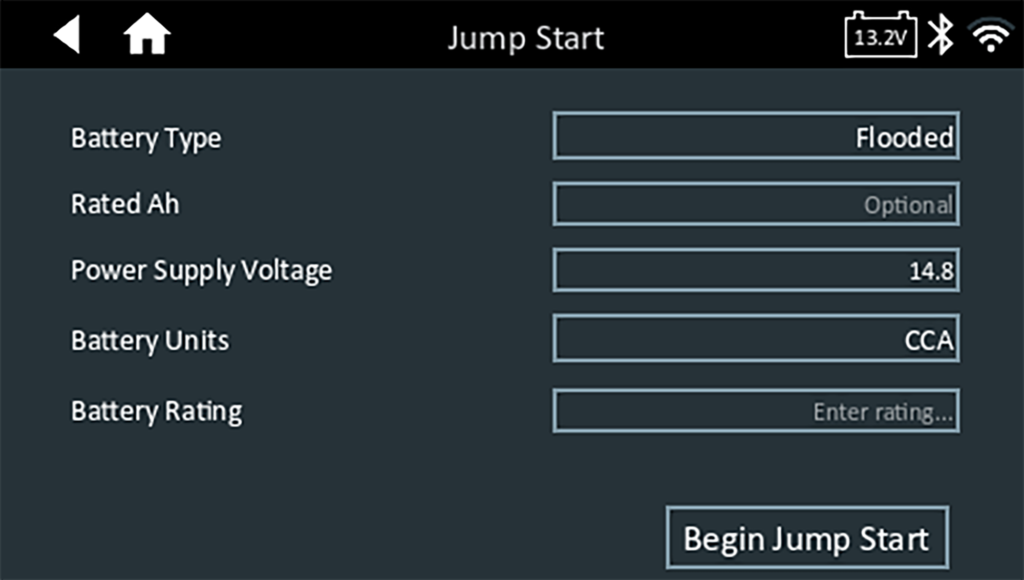 The charger performs a series of tests to determine the overall condition of the battery before applying a boost charge to the battery.
IMPORTANT: DO NOT crank the engine during the Jump Start process.
NOTE: The maximum charge time is 10 (ten) minutes.
NOTE: The charger will not boost charge a battery that has tested unsafe.
5. Following a successful boost charge, the charger displays a Start Engine message. The engine can now by cranked for up to 5 (five) seconds.
6. When the charger displays the Jump Start Summary page will display. Press Done to send the results to the server and continue to the home screen.
